Demo  A live demonstration of the Burgee race-management plugin getburgee.com →
Burgee Sailing Club Burgee Sailing Club Est. 1987 · Demo Harbor

Entering Results

Type finish times once; Burgee scores the whole race on save.

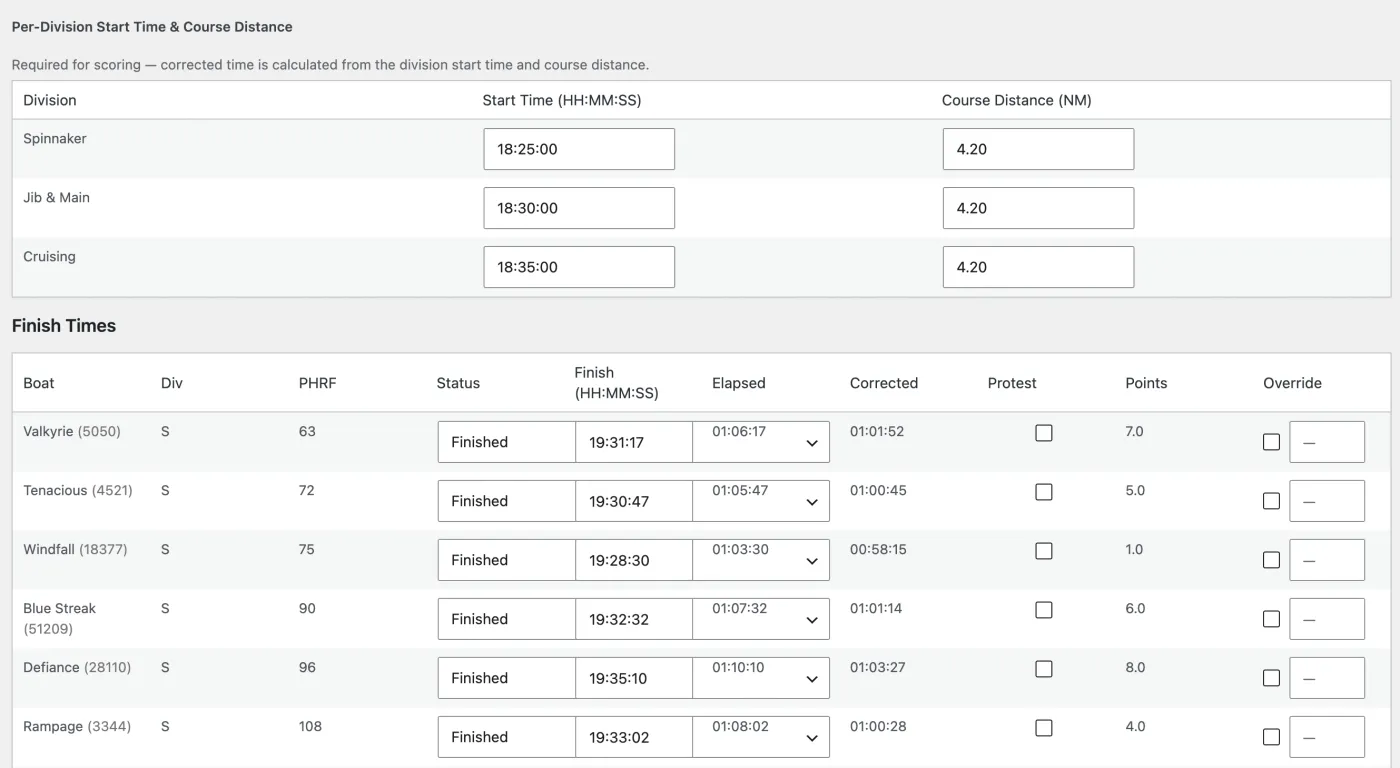
From the Burgee admin, the race officer enters each division’s start time, the course distance, and every boat’s finish time. On save, Burgee rescoring runs automatically for the whole race — corrected times, places and points — and publishes them to the front end.

  • Mark non-finishers (DNF, DNS, etc.); Burgee scores them per the rules.
  • Override an individual boat’s points by hand when the protest committee says so.
  • Re-saving re-scores, so corrections are one edit away.
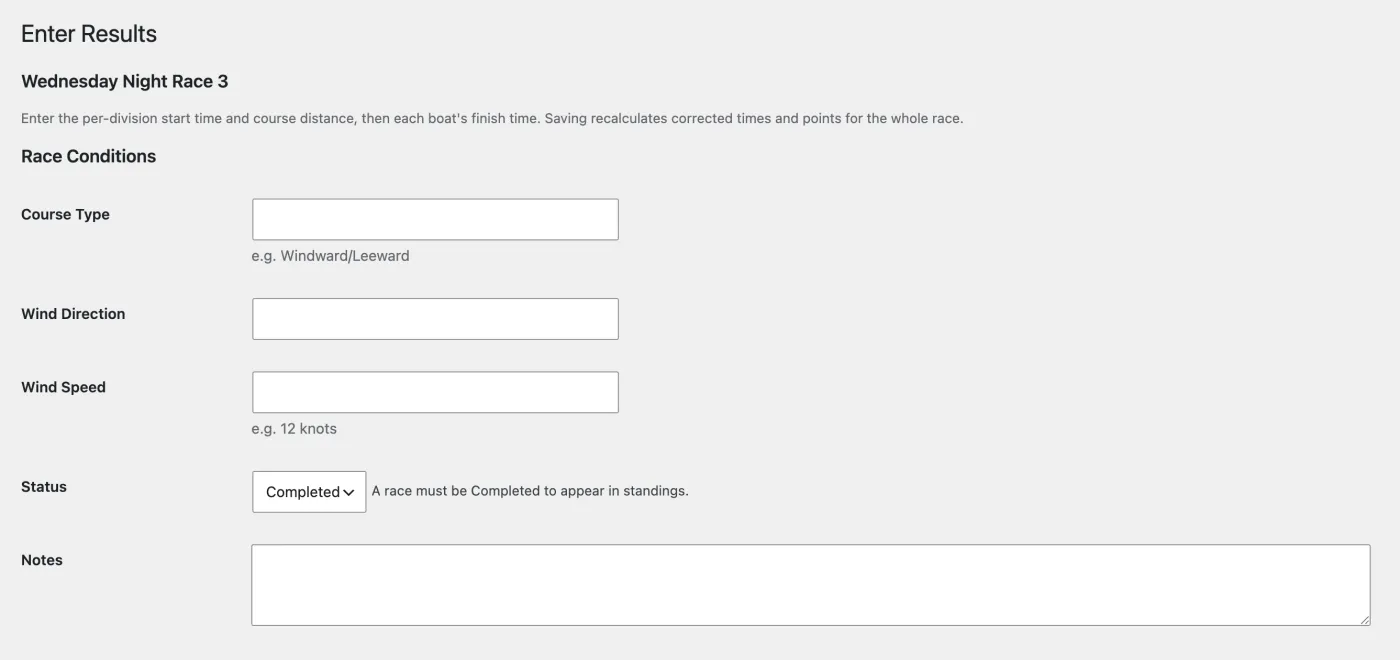
The Enter Results screen records the course and conditions and the race status; a race must be marked Completed to appear in the standings.
Each division's start time and every boat's finish time. On save, Burgee fills in Elapsed, Corrected and Points for the whole fleet — no spreadsheets.

See it live

Pick any completed race on the schedule to see published results, or view a race directly with .

On getburgee.com: read the full documentation for this feature.

Results docs →